
The whole school,
at a glance.
See the whole school at a glance, approve what goes out, and know which staff are in, from your desk or your phone.
Get started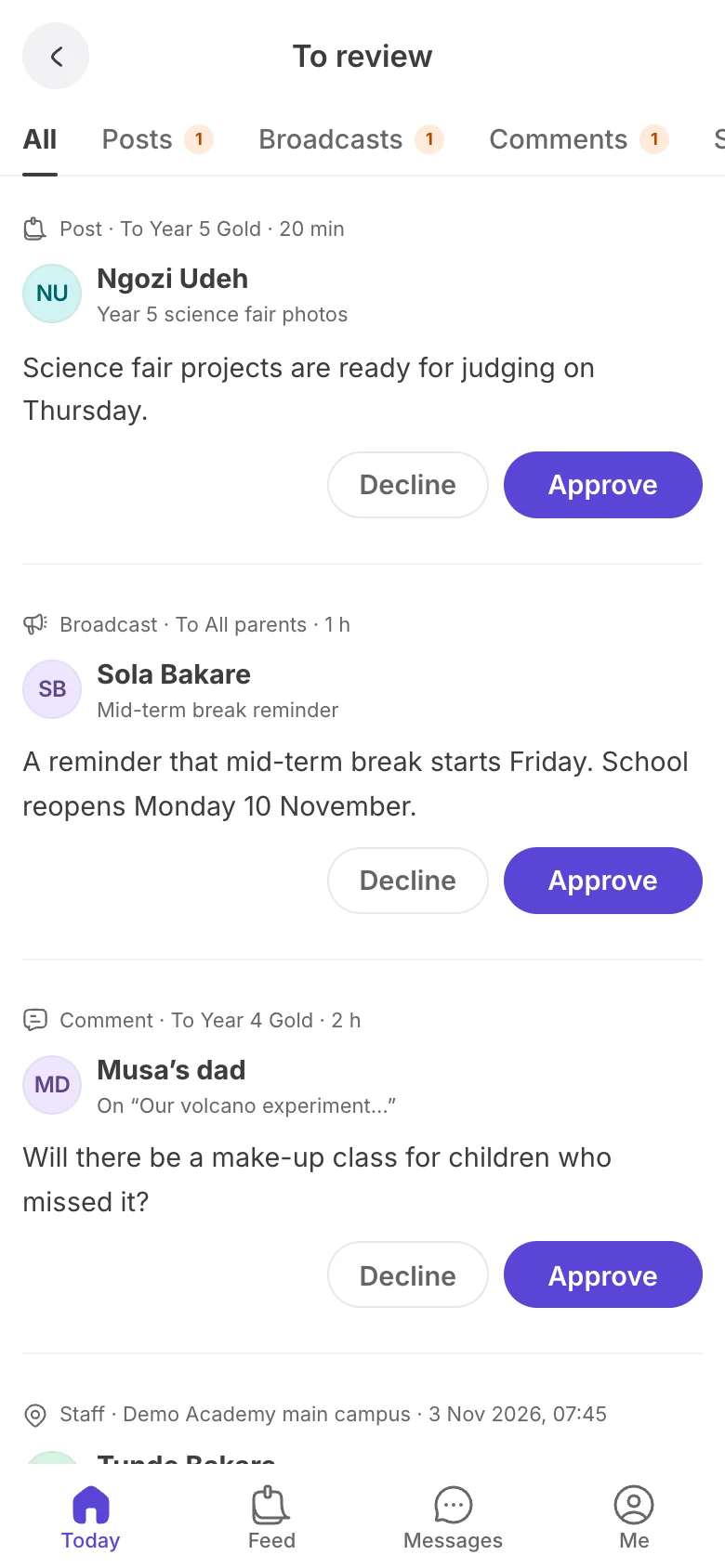
Your morning, on one screen
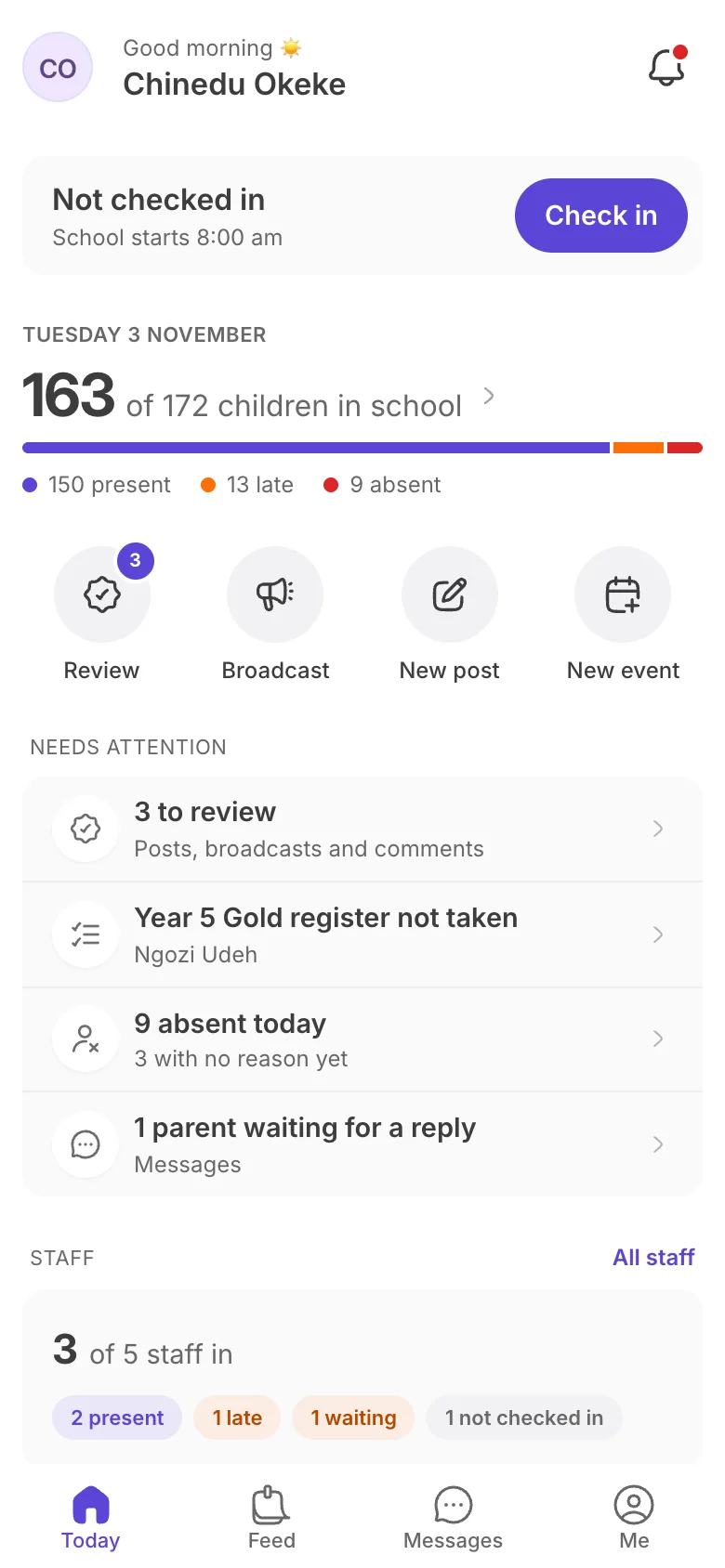
How many children are in, which registers are still open, which staff have checked in and what's waiting for you.
- Children in school, late and absent
- Registers taken and still to take
- Staff checked in
- Items to review and parents to answer
Approve before it goes out
Teacher posts, broadcasts and parent comments wait in one queue. Read them, tidy the wording if you need to, then approve or decline.
- Posts, broadcasts and comments in one place
- Approve or decline in a tap
- From the dashboard or your phone
A staff register that fills itself
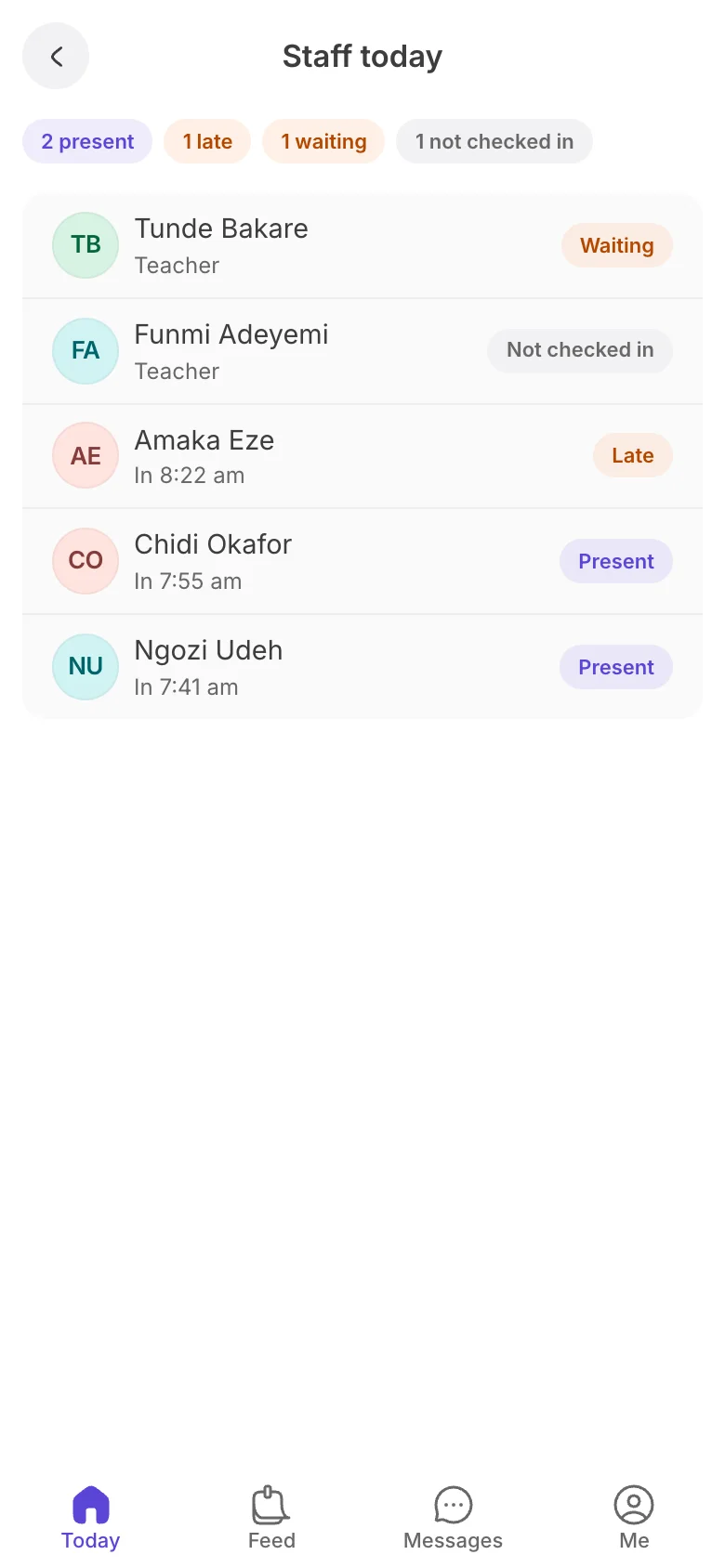
Teachers check in from the staff app when they arrive. You see who's in, who was late and who hasn't checked in, and approve check-in requests.
- Arrival times for every member of staff
- Late arrivals flagged
- Requests to check in away from school
- Export the month
Set up in four steps.
- 1 Set your term Term dates frame the calendar and the registers.
- 2 Add classes Classes become audiences and registers.
- 3 Add students One at a time, or import a list.
- 4 Invite your team Admins and teachers, each with the right access.
Your team, your rules
Invite staff with one of three roles, set the classes each teacher teaches, and choose who can send school-wide broadcasts.
- Owner, Engage admins and teachers
- Classes for every teacher
- Invites you can resend or cancel
Every broadcast, accounted for
See how each message reached families on the app, by SMS and by email, and resend the few that didn't go through.
Every family within reach
Know how many families are on Little, how many get SMS or email, and which still have no contact, so nobody misses a message.
Settings that keep you in charge
Approvals for teachers, comment review, quiet hours and an office-hours reply. Engage follows your school's rules.
Run the school day, not the paperwork.
-
Know what's happening
Children in, registers taken, staff in and messages waiting, without walking the corridors.
-
Nothing goes out unchecked
Teacher posts, broadcasts and parent comments wait for your yes, so every word sounds like the school.
-
Staff you can count on
A staff register that fills itself as teachers check in, with late arrivals and requests in one list.
-
Less time chasing
Open registers, absences and unanswered parents come to you, so you follow up in minutes.
Questions schools ask
Who counts as an admin?
The school owner and anyone they make an Engage admin. You can have as many admins as you need.
Can I approve posts from my phone?
Yes. Posts, broadcasts and comments waiting for review show in the staff app, with Approve and Decline on each one.
How does the staff register work?
Teachers check in from the staff app when they arrive. You see who's in, who was late and who hasn't checked in, and can export the month.
What do teachers see?
Their own classes, their messages and the school calendar. Admins see every class and the whole school.
Can I decide who sends school-wide messages?
Yes. Choose whether broadcasts come only from you, from your admins, or from teachers too, and whether they need approval.
Your school, in hand.
Set up your term, classes and team, and see your whole school at a glance.