
Your class,
in your pocket.
The Engage staff app puts the whole school day in a teacher's pocket: check in, take the register, post to the class and answer parents, in a few taps.
Get started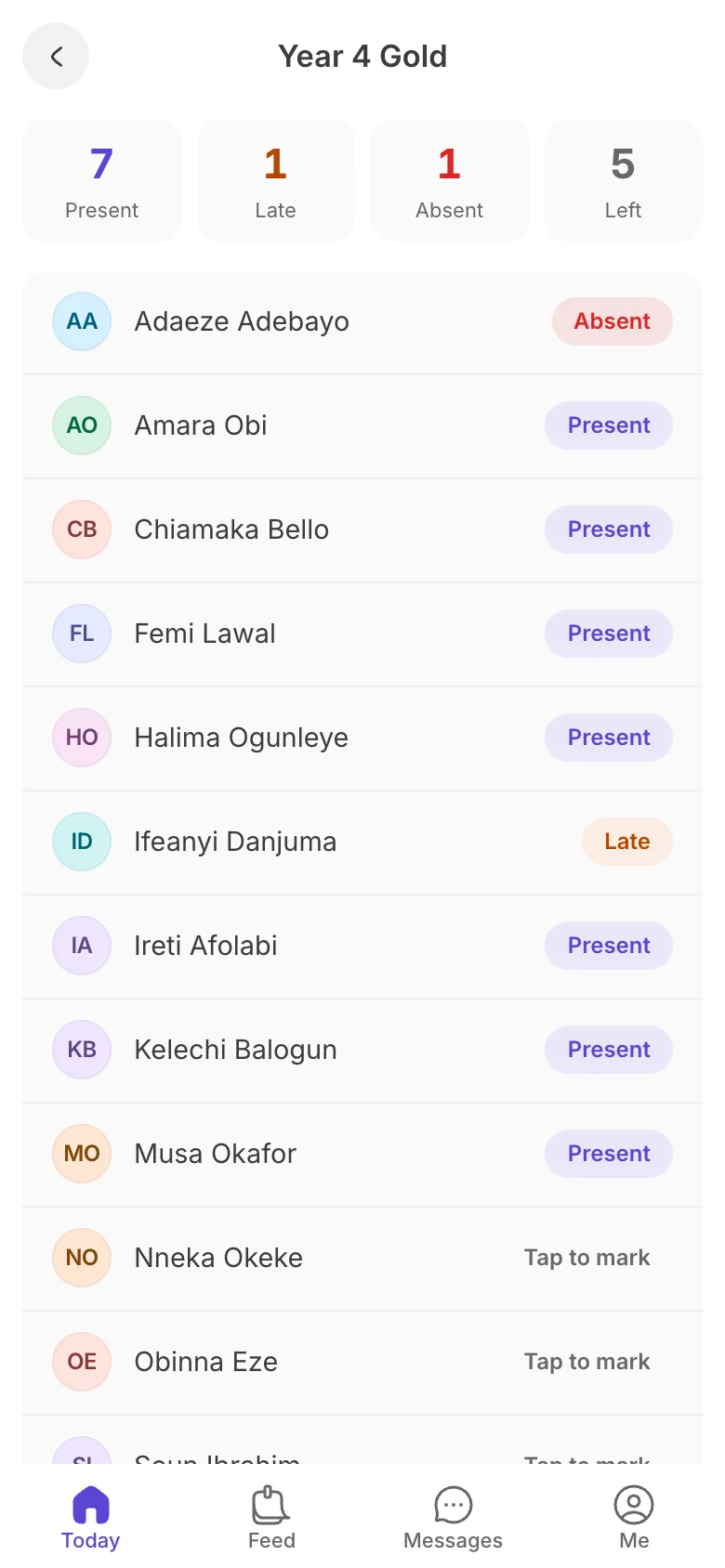
Your day, on one screen
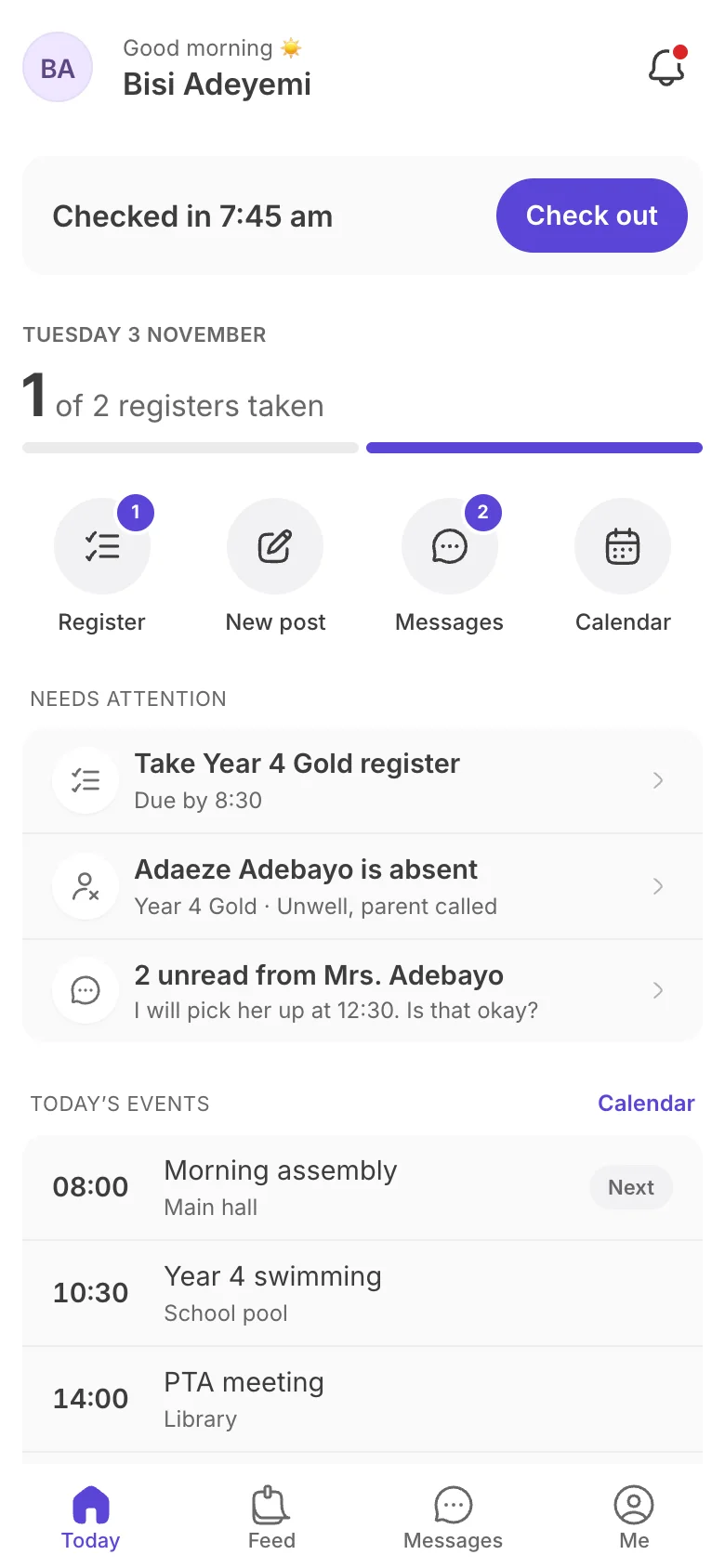
Open the app and Today shows what needs you: registers to take, who's absent, unread messages and what's on.
- Check in and out with one tap
- Registers due, with a reminder of the time
- Absences and unread parent messages
- Today's events from the school calendar
The register in a minute
Tap each child to mark them present, late or absent. The count updates as you go, and one button marks the rest present.
- Present, late or absent in a tap
- Running count of who's left
- Submit and the school sees it straight away
A teacher's morning, done.
- 1 Check in at the gate One tap when you arrive. The school's staff register fills itself.
- 2 Take the register Tap each child present, late or absent, or mark the rest present at once.
- 3 Share the day Post a photo or a note to your class's families before home time.
Post to your class
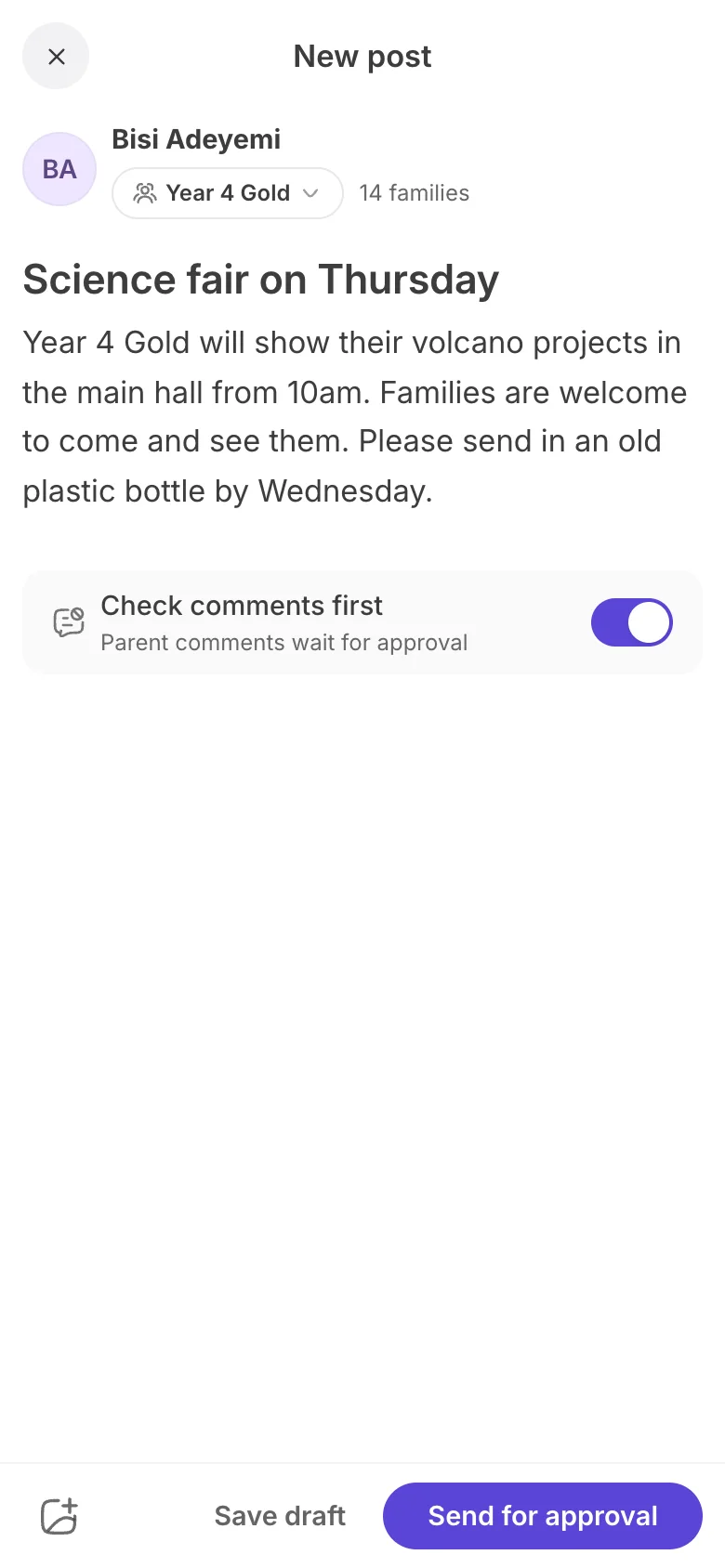
Share news, reminders and photos with your class's families. Choose the audience, and the post goes for approval if your school asks for it.
- Your class, or a group you lead
- Add photos from the day
- Comments can wait for approval
- Save a draft and finish it later
Talk to parents, keep your number
Parents message the school about their child, and you reply in the same thread from the app. No personal numbers, no WhatsApp groups.
- Each conversation linked to the child and class
- Reply from anywhere in school
- Your own number stays private
Know every child in your class
Your class list shows every child and whether their family is on the Little app. Open a child to see their parents and attendance.
- Who's on the app, invited or not yet
- Parents and how to reach them
- Each child's attendance this term
The school calendar, always with you
Assemblies, sports days, PTA meetings and exams, day by day, the same calendar parents see.
For school leaders: the right access for everyone
Invite your team with one of three roles, choose who can send school-wide broadcasts, and approve what teachers post.
- Owner, Engage admins and teachers
- Broadcasts from you, your admins, or teachers too
- Approvals and the staff register for admins
Less chasing, more teaching.
-
Less admin, more teaching
Registers, posts and replies take minutes, from the phone already in your pocket.
-
No personal numbers
Parents reach you through the school, not your WhatsApp. Your evenings stay yours.
-
Everything in one app
Your day, your class, your messages and the school calendar, in one place.
-
Leaders stay in control
Roles and approvals mean the right people post, and every word sounds like the school.
Questions schools ask
What do teachers use?
The Engage staff app on their phone. They sign in with their school account and see their own classes.
Do teachers share their phone numbers with parents?
No. Parents message the school, and teachers reply from the app. Nobody's personal number is handed out.
Can teachers post without the school seeing it first?
Only if you allow it. Teacher posts and broadcasts can wait for an admin's approval, and you choose who can post.
Which classes can a teacher see?
The classes they teach. The owner and Engage admins see every class and the whole school.
What do school leaders get?
Everything teachers have, plus approvals, the staff register and every class at a glance.
Your whole team, on the same page.
Invite your teachers, and tomorrow's register is a few taps on their phone.